Twitch now trains Amazon's AI on your streams, on by default

2026-08-14 · Updated: 2026-08-14
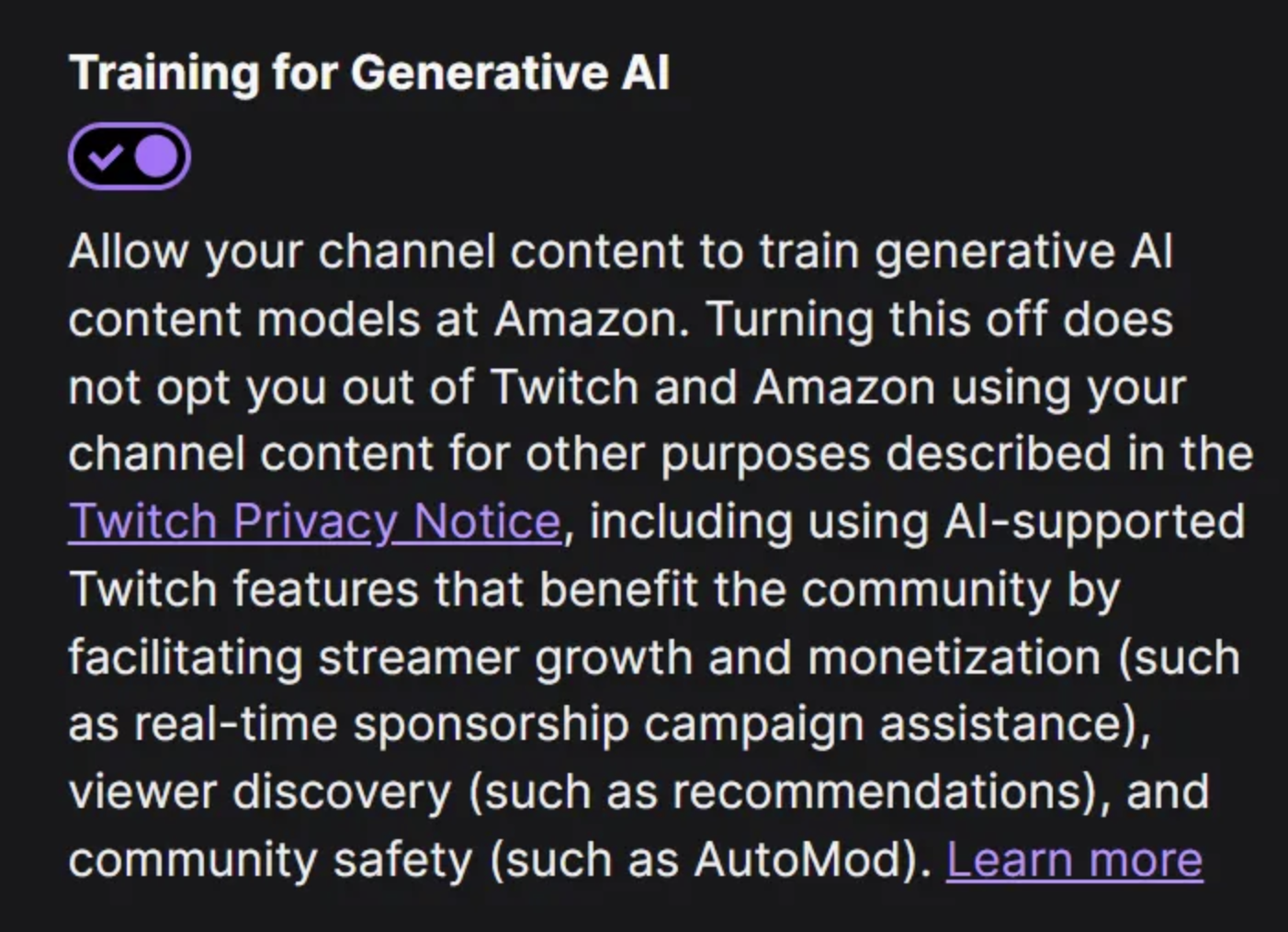
On August 12, 2026, Twitch confirmed that it will use creators' content to train Amazon's generative AI models, and it turned the setting on by default. Every streamer is opted in until they go and switch it off themselves. Twitch reporter Zach Bussey summed it up: "Twitch now uses your channel to train generative AI by default."
What gets fed in are your livestream recordings, and reportedly your chat too, what Twitch describes as thousands of hours of audio and video. Your face, your voice, your gameplay and your commentary become training material for models you will never see a cent from. Amazon's stated reason is mostly practical: audio helps build speech recognition for captions and voice tools. Fair enough, except that "training an AI on your likeness" and "better captions" are not the same promise.
The part that lit the fuse was the honesty about why it is opt-out. Twitch's Chief Product Officer, Mike Minton, said it plainly: "If this was opt-in, nobody would opt in. That's honestly the answer." In other words, they already know creators don't want this, so they made saying no something you have to discover and do yourself.
There is a second catch, and it is easy to miss. The toggle only covers some of the training. Even after you opt out, Twitch and Amazon can still use your channel content for other purposes such as recommendations, monetization assistance and content moderation. So the switch is real, but it is not a full off button.
The reaction was about what you would expect. Nearly 3,000 people watched the official stream where Twitch tried to explain the move, and chat kept asking the same thing: "Why is it not opt-in?" The story spread fast across IGN, TechCrunch and Zach Bussey's running thread, and it even nudged Amazon's stock down around 1% on the day. For a platform built entirely on creators' work, quietly defaulting their likeness into an AI training set felt like a line crossed. It lands right after a run of other Twitch changes this August, and not long after auto clips put more of your content on autopilot.
How to opt out (two clicks)
The toggle is real, it just is not where you would look first. It is not in the Creator Dashboard, it is in your account settings:
- Open Settings, then Security and Privacy.
- Scroll to the "training for generative AI" toggle.
- Turn it off.
Open Twitch Privacy Settings →
My take: a default this consequential should never be opt-out. "Nobody would opt in" is not a reason to bury the choice, it is the reason consent matters. Whatever you think about AI, handing your face and voice to a model should be a decision you actively make, not one you have to undo after the fact. Twitch says creators keep control of their content, and technically that is true, but control you have to go hunting for is not the same as being asked.
Sources: TechCrunch, IGN and Zach Bussey (@zachbussey).
Comments 2